| Home » Categories » Multiple Categories |
Microsoft Office Links 2018 |
|
Article Number: 2241 | Rating: Unrated | Last Updated: Mon, Jun 19, 2023 at 4:44 PM
|
|
A new Datafile add-in is available with additional features in the links between Datafile and Microsoft Office. The add-in, available for use for users on Datafile 2018 with the Datafile Excel RTD Add-In, allows for links back from Excel spreadsheets to the Datafile Ledger Enquiry and links to the Contacts database from Outlook as well as the usual options.
Microsoft Excel
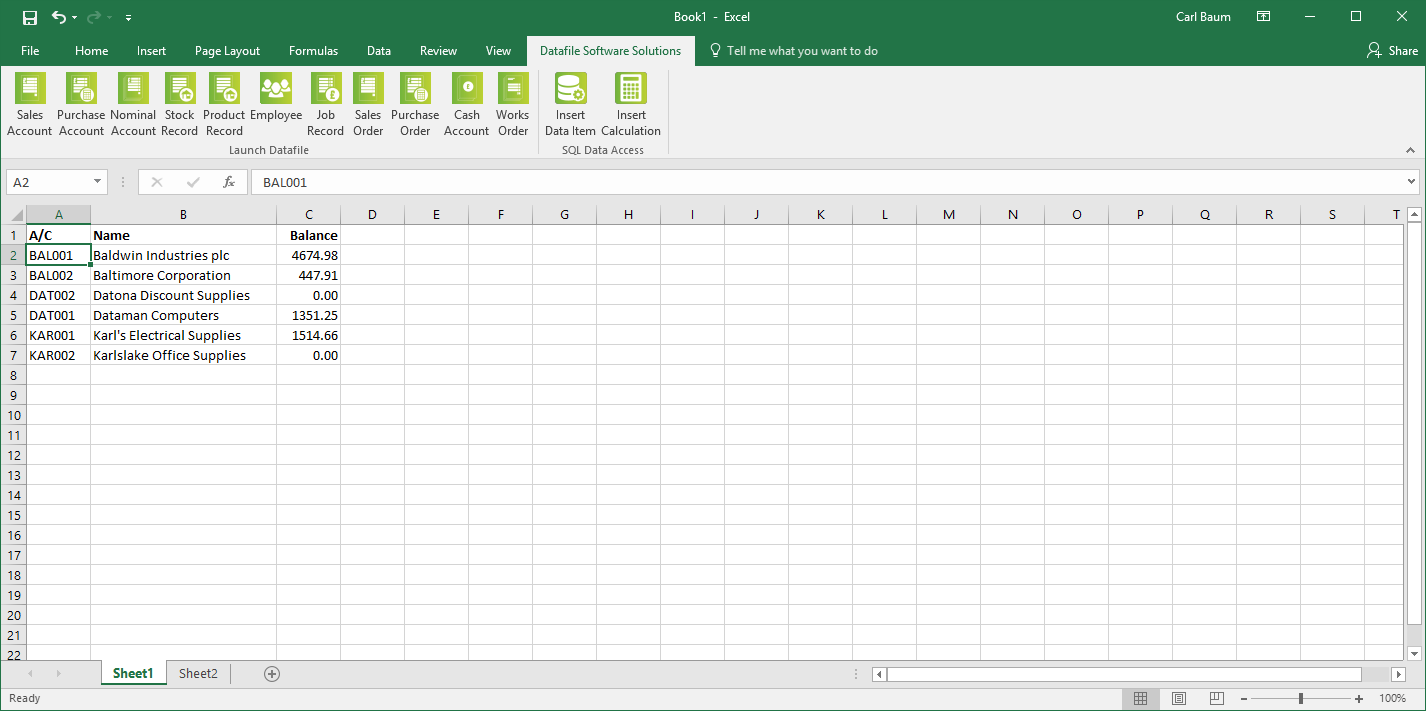
The new office add-in adds a Datafile Software Solutions tab to the Excel ribbon.
The add-in is split into two sections – the first section allows the links to the Ledger Enquiry.
If Datafile is open and logged in then the ribbon tab will active links to the ledger enquiry for the key accounts. Focus the cursor on the required cell containing the primary key (i.e. account code, stock code, order reference etc.) and select the appropriate enquiry action to launch the Ledger Enquiry.
Note that whilst all enquiry options are available if that application is not in use, or the user logged in to Datafile is not allowed access to that enquiry, the user will be warned accordingly.
The second section allows use of the Excel RTD functions – these allow the options to insert data items or perform calculations based on the Datafile SQL tables.
Microsoft Outlook
The new office add-in adds a Datafile Software Solutions tab to the Outlook ribbon.
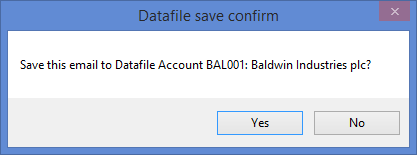
When a record, containing an email address is open within the Datafile Ledger Enquiry then the add-in will be active within Outlook. You can highlight an email message and save this back to the Datafile account – you will be prompted to confirm before saving.
You can also select to send a new email by selecting the email address from the drop-down list – the system will prompt to confirm save on send. The system will populate the email addresses based on emails for the open Datafile record – where the Contacts database is in use for the Sales and Purchase accounts then the emails are populated from the linked contacts when on the Sales/Purchase enquiry.
Microsoft Word
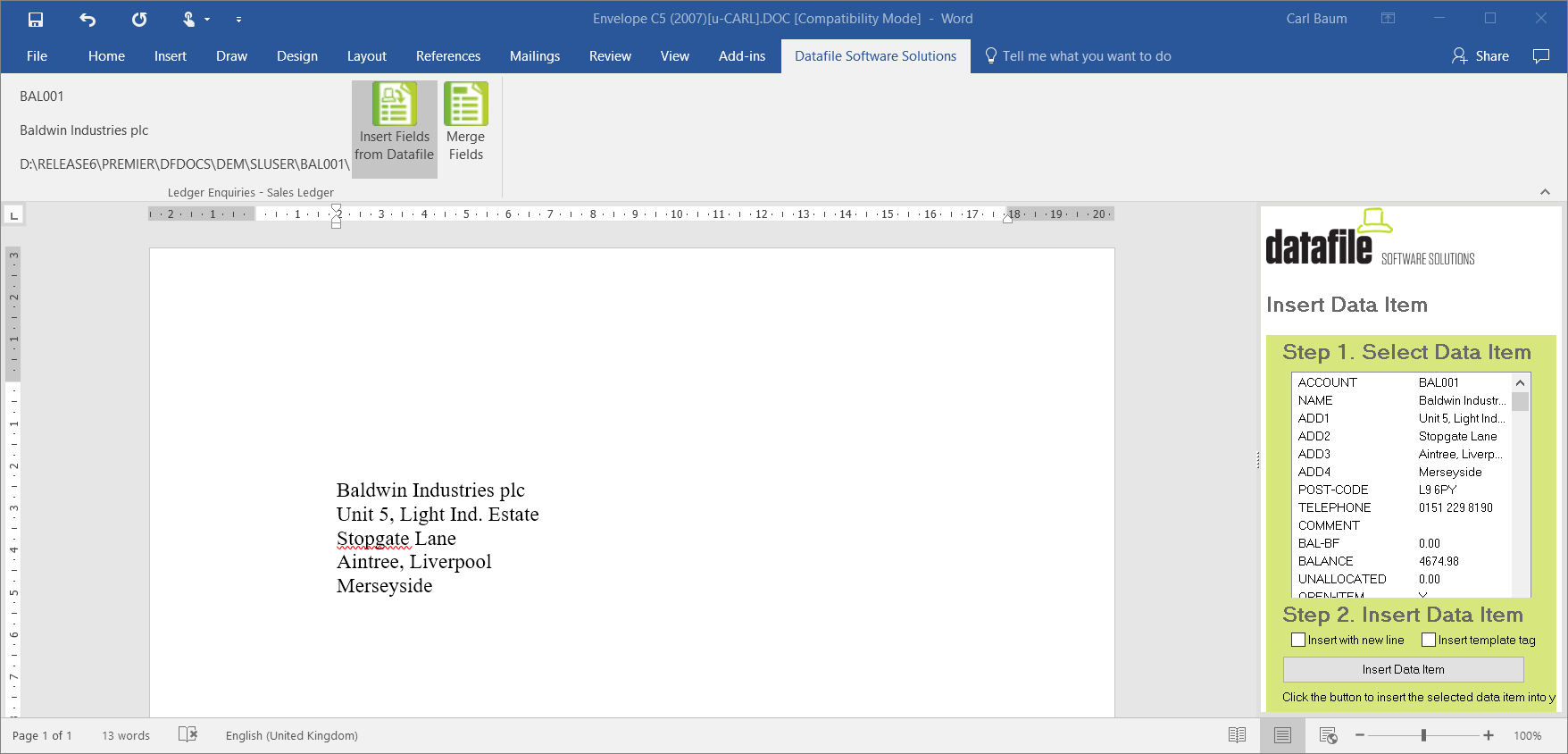
The new office add-in adds a Datafile Software Solutions tab to the Outlook ribbon.
As before you can create new documents or templates from within the Word options on the Datafile add-in allowing for the creation of form letters.
Installation
Uninstall Old Add-Ins
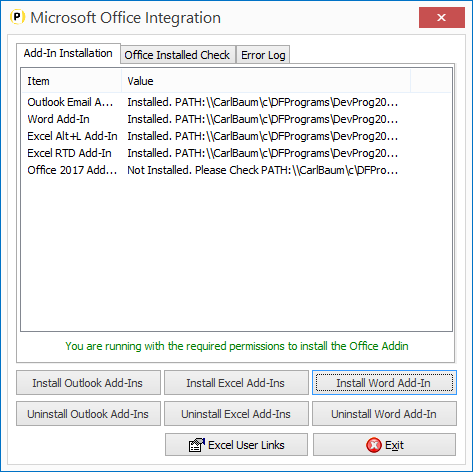
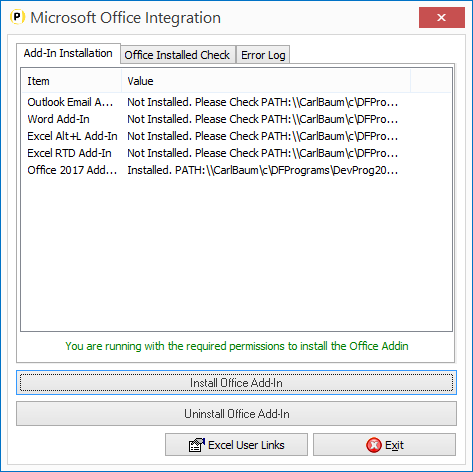
To swap to use the new add-in you first need to uninstall the old add-ins. Ensure Microsoft Office applications have been closed and then run Datafile with administrator access and then choose the Datafile tab top left and the Setup Options entry. Select Microsoft Office and uninstall each of the add-ins.
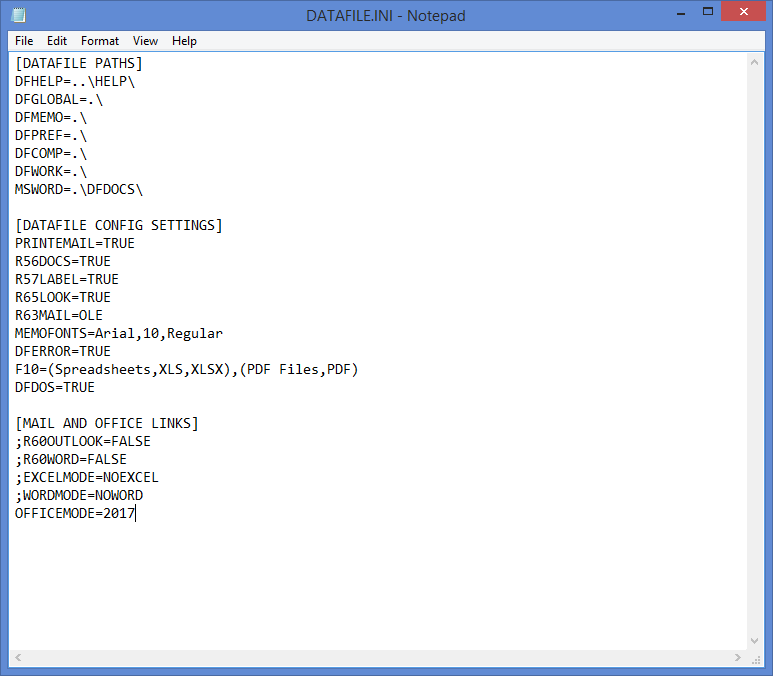
DATAFILE.INI
Once all users have uninstalled the add-in you need to you need to add an entry into the DATAFILE.INI to allow installation of the new add-in. If some users wish to continue using the legacy add-in or are using the version 6/7 programs then you should add this entry to the users DFWIN.INI.
The DATAFILE.INI is typically within the main DFWIN folder and can be edited with any text editor – i.e. Notepad.
Add the line
OFFICEMODE=2017
Install New Add-Ins
Close Microsoft Office applications and then run Datafile with administrator access and then choose the Datafile tab top left and the Setup Options entry. Select Microsoft Office and install the office add-in.
|
Attachments

There are no attachments for this article.
|
Related Articles 
Additional Filter Option on Stock Transaction Enquiry
Viewed 2658 times since Tue, Jun 12, 2012
Ledger Enquiry – Zoom to Account from Order Enquiry
Viewed 1655 times since Wed, Jun 13, 2012
Landing Pages - Check for Refresh Every X Minutes
Viewed 990 times since Tue, Oct 15, 2024
Payroll FAQ - Claiming The Employer Allowance
Viewed 1988 times since Thu, Aug 21, 2025
Additional Price Checker Options
Viewed 3050 times since Mon, Jun 11, 2012
Datafile Software - File Naming Conventions
Viewed 6264 times since Thu, Jul 26, 2012
Windows 10 1803 Update / Windows Defender
Viewed 4485 times since Wed, May 30, 2018
Include Attachments on Documents to Email
Viewed 3467 times since Tue, Jun 12, 2012
Pick Lists – Saved Selection Criteria
Viewed 1078 times since Thu, Jun 18, 2020
Document Design Manager - Converting A Document
Viewed 3755 times since Wed, Jun 13, 2012
|
| Datafile Home | KB Home | Advanced Search |
|
 |
|
|
|
|
|
|

 Print Article
 Email Article to Friend