| Home » Categories » Solutions by Business Process » System Features |
Extra Secondary Indexes |
|
Article Number: 2191 | Rating: Unrated | Last Updated: Tue, Jun 20, 2023 at 5:51 PM
|
|
Premier Only When using F4-Select the system allows you to search on a primary key or two secondary indexes. In addition Premier users can define up to search extra search items. Whilst the primary and secondary index searches are fast searches the system performs a record by record search for the extra search items meaning, on large data sets, these can be slow search options. This new feature allows you to convert the extra search items to secondary index items to speed up search processing. 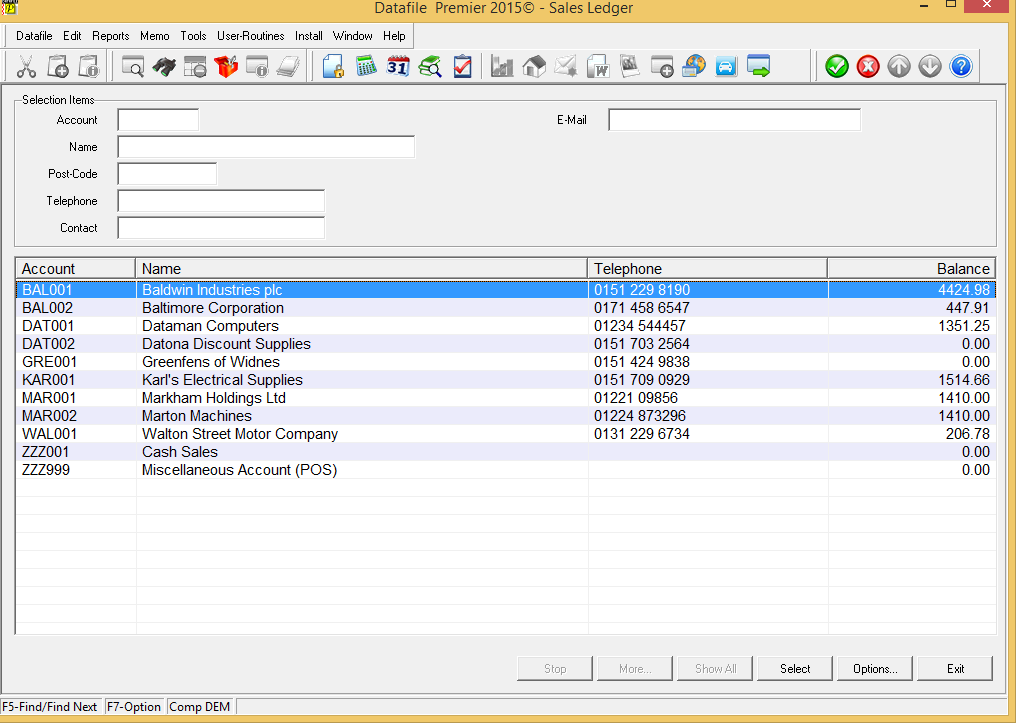 InstallationDatabase StructureTo swap extra selection items to secondary indexes you need to enable a parameter within the database structure. You can restructure a database via the Application Manager options for application databases, ProFiler Definitiontools for profiler application databases or DataFiler Database tools for any database. When the database has been opened for restructure press <F4-Select> to access the Database Advanced Features. 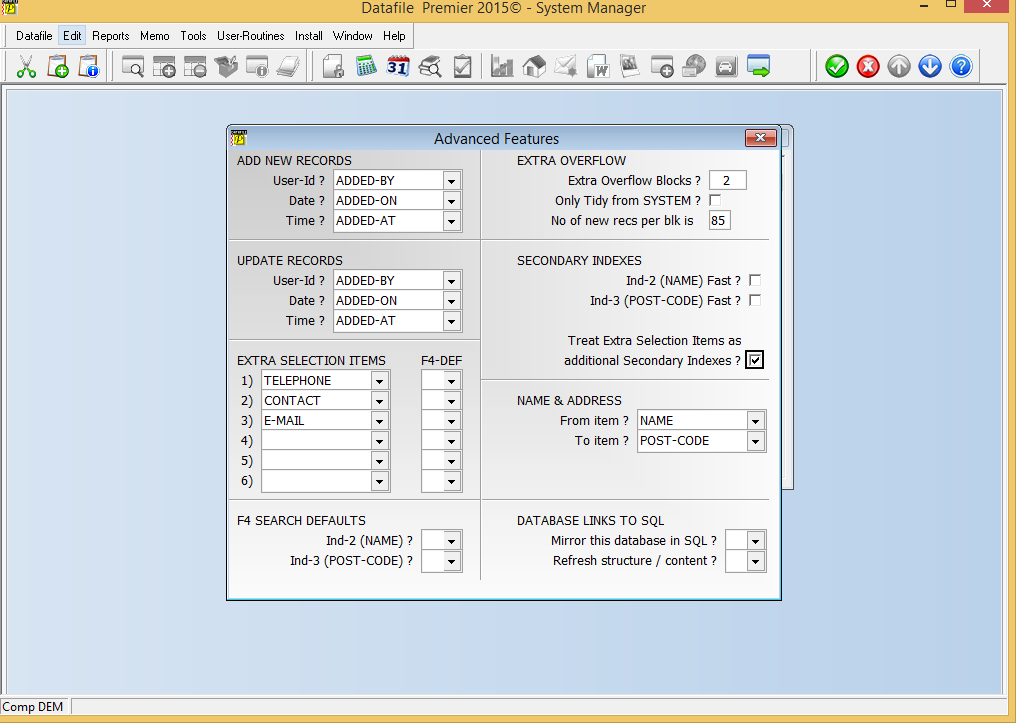 Treat Extra Selection Items as Additional Secondary Indexes – set this option to swap the extra selection items to secondary index items. Note that not all item types, ‘?’ item types for example, that are allowed as extra selection items can be used as secondary index items. If you convert an item with an invalid type you will be warned accordingly and not allowed to switch. Similarly special ‘group item’ search functions such as address or description searches are also restricted as standard extra selection items only. Once set <Enter> through the remaining parameters and then you will be returned to the data item list. To update the database press <Esc> and choose to update the database changes. Important Note Before enabling this facility you must ensure that all Datafile users are using the Datafile 6.9/2016 programs – version F52 or higher. In addition users using the SQL mirror / import tools must ensure these programs have also been updated. Failure to ensure this can cause data problems when accessed using older programs. |
Attachments

There are no attachments for this article.
|
Related Articles 
General System Options - My Reports
Viewed 530 times since Thu, Oct 17, 2024
Allow Four Application Enquiry Screens
Viewed 2564 times since Fri, May 20, 2016
Landing Pages - Ledger Enquiry and Landing Page Date Formats
Viewed 1018 times since Wed, Oct 23, 2024
Digital Signatures
Viewed 1143 times since Tue, Oct 15, 2024
Ledger Enquiries - Performance Tuning
Viewed 10366 times since Mon, Feb 4, 2013
Spooled Reports - Clear Selected Spool Files
Viewed 4763 times since Mon, Jun 11, 2012
User Help Files
Viewed 2558 times since Mon, Jun 11, 2012
Application Graphs on Main Toolbar
Viewed 3023 times since Tue, Jun 12, 2012
Document Design Manager - Inserting New Items
Viewed 3547 times since Wed, Jun 13, 2012
Nominal Enquiry - Links to Sales/Purchase Transactions
Viewed 10811 times since Tue, Jun 12, 2012
|
| Datafile Home | KB Home | Advanced Search |
|
 |
|
|
|
|
|
|
 Print Article
 Email Article to Friend