| Home » Categories » Solutions by Business Process » System Features |
Ledger Enquiry Links to Discount and Supplier Matrix |
|
Article Number: 2156 | Rating: Unrated | Last Updated: Tue, Jun 20, 2023 at 5:53 PM
|
|
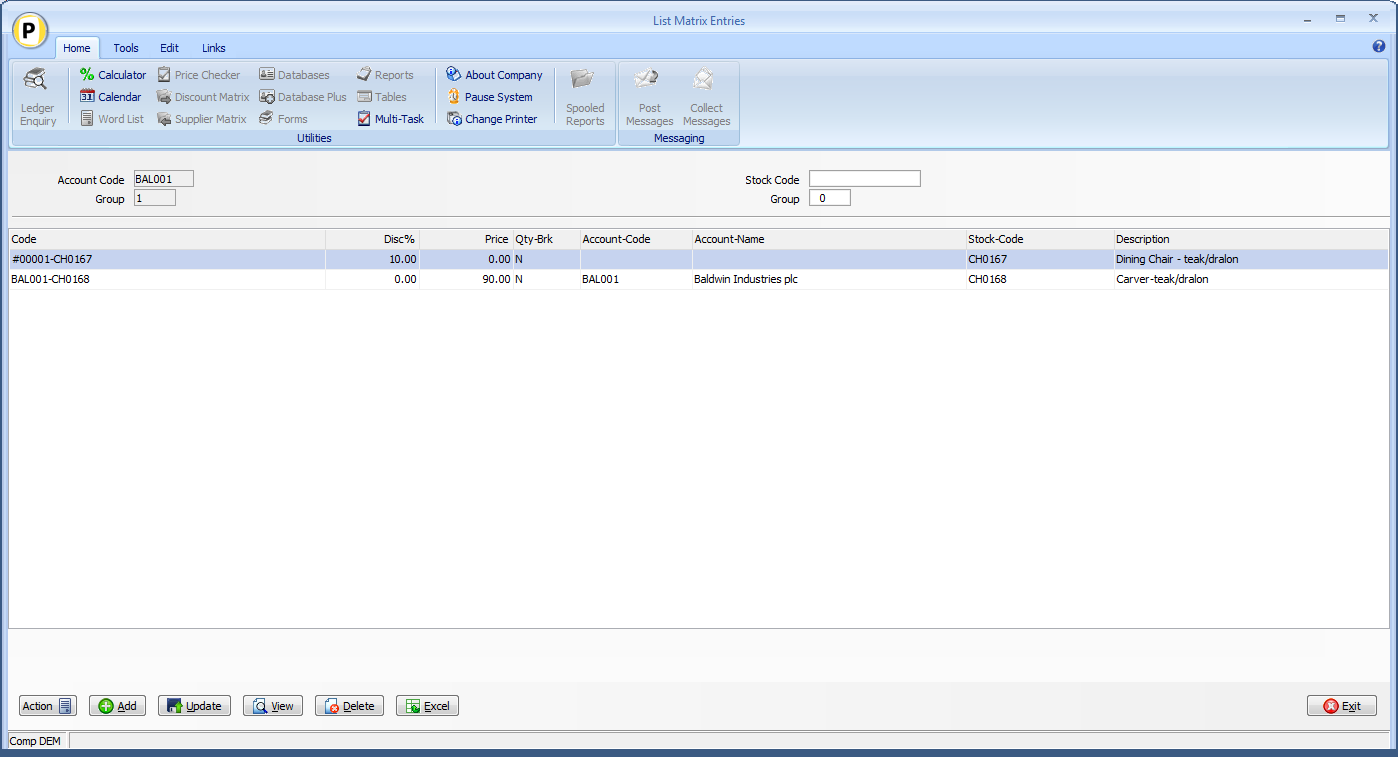
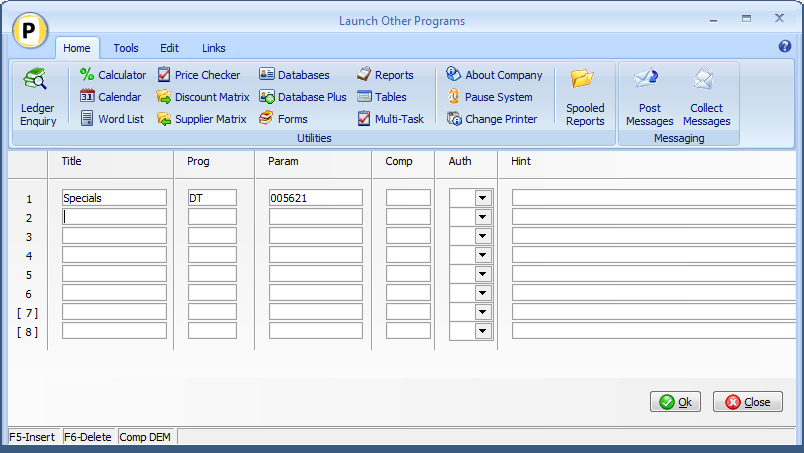
Diamond and Premier Datafile 2015 onwards only This update extends this option so that matrix entries for the account and account group are listed automatically via the Sales and Purchase Ledger Enquiry and also adds an equivalent option to the Stock Ledger enquiry to view the matrix entries (both customer and supplier) for the enquiry stock record. InstallationLedger Enquiry ManagerNo specific changes are required to pass the Account Group as well as the Account Code for the Sales / Purchase enquiries – if the List Matrix option is enabled and link configured within the Ledger Enquiry actions (see Release 6.7 Supplement for more details) then the system will pass the account group if matrix configured to use account groups. To add actions to the Stock Ledger Enquiry select Installation from the main menu followed by Ledger Enquiry Managerand Enquiries Configuration. Select the Stock Control application and then select the Launch Other Programs parameter screen.
Title set as required (for example SL Specials) Prog set as DT Param set as 005621 for link to the Customer Discount Matrix, set as 009121 for link to the Supplier Discount Matrix. Other actions can be set as required. |
Attachments

There are no attachments for this article.
|
Related Articles 
Alternate Image Viewer
Viewed 2767 times since Mon, Nov 25, 2013
Datafile Software - Keyboard Shortcuts
Viewed 22222 times since Thu, Jul 26, 2012
Automatic Sign-Off If Inactive
Viewed 2682 times since Fri, May 27, 2016
Output to Excel Pivot Table
Viewed 25502 times since Tue, Jun 12, 2012
Landing Pages - Edit Data Items from Landing Page
Viewed 1180 times since Tue, Oct 15, 2024
Application Memo Options
Viewed 2940 times since Tue, Jun 12, 2012
Landing Pages - Field Chooser Display Sequence
Viewed 1076 times since Wed, Oct 23, 2024
Document Design Image Display Properties
Viewed 3319 times since Fri, Jun 8, 2012
Application Pick Lists - Apply Colour Highlighting Rules
Viewed 2905 times since Wed, Sep 21, 2016
Record Groups as Items in Discount and Supplier Matrix
Viewed 4185 times since Fri, May 27, 2016
|
| Datafile Home | KB Home | Advanced Search |
|
 |
|
|
|
|
|
|
 Print Article
 Email Article to Friend