| Home » Categories » Solutions by Business Process » System Features |
Pick Lists - Increased No of Display Items |
|
Article Number: 2192 | Rating: Unrated | Last Updated: Tue, Jun 20, 2023 at 5:51 PM
|
|
Diamond and Premier Only Over the last few releases the Application Pick Lists have become one of the most popular features within the Datafile system. This new option increases the number of display items from 10 to 20 within the pick list. 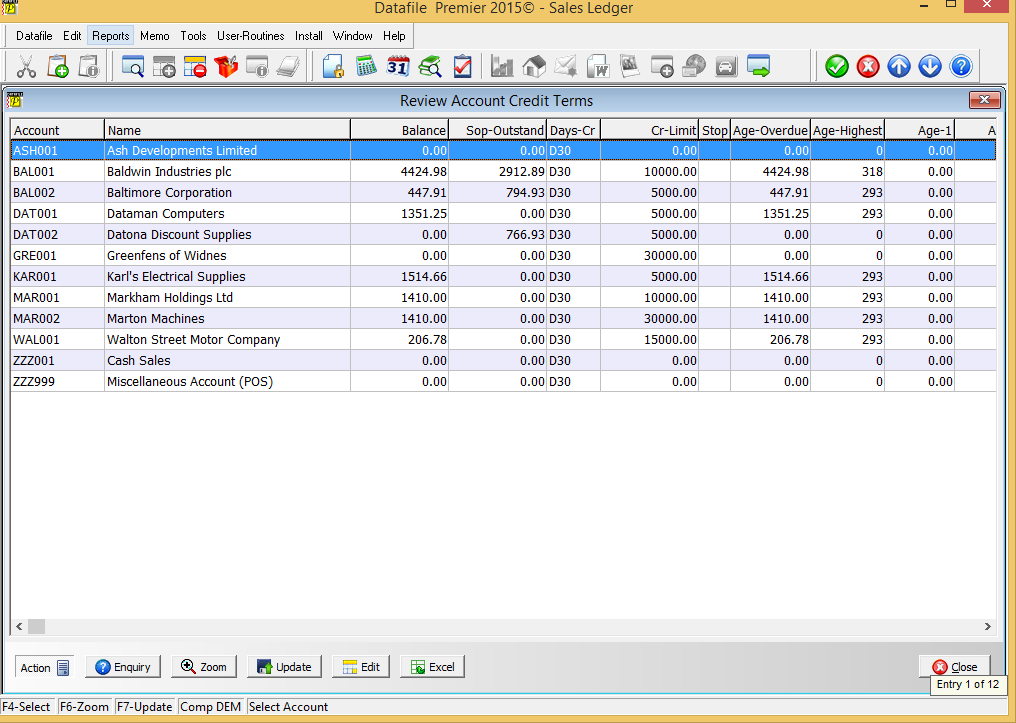 InstallationApplication User FacilitiesThe Pick List configuration options are held within the Application User Facilities for the required application. Select Installationfrom the main menu followed by Application Manager and then Application User Facilities. Select the required application and then, for all bar Job Costing, select the first option and then select the required pick list definition (for Job Costing the Pick List definition option is on the initial menu). 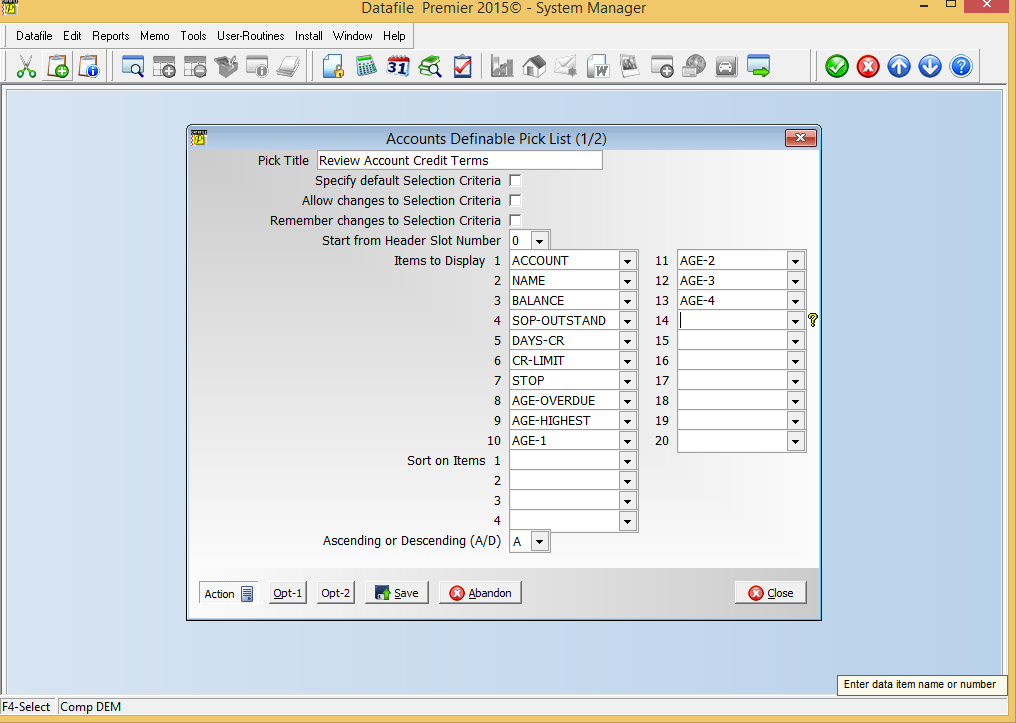 Items to Display– select up to 20 items for display from the application database. Please note there is a maximum display limit of 255 characters, if the items selected are greater than this size the system will warn accordingly. Excess items will not be listed but would be included within any Excel output. |
Attachments

There are no attachments for this article.
|
Related Articles 
Swap Application Enquiry at Transaction Level
Viewed 2772 times since Tue, Jun 12, 2012
Additional Forecast Date Options
Viewed 3528 times since Mon, Jun 11, 2012
Landing Pages - Edit Data Items from Landing Page
Viewed 1051 times since Tue, Oct 15, 2024
Document Design Manager - Parameters
Viewed 5490 times since Wed, Jun 13, 2012
Datafile Software - Hardware and Software Supported Versions
Viewed 15149 times since Thu, Dec 13, 2012
Additional Price Checker Options
Viewed 2944 times since Mon, Jun 11, 2012
4K Record Size Limit
Viewed 2990 times since Wed, Jun 13, 2012
F4 Search - Default Search Method
Viewed 2551 times since Fri, Jun 8, 2012
Additional Filter Option on Stock Transaction Enquiry
Viewed 2540 times since Tue, Jun 12, 2012
Database Activity Alerts
Viewed 3491 times since Tue, Jun 12, 2012
|
| Datafile Home | KB Home | Advanced Search |
|
 |
|
|
|
|
|
|
 Print Article
 Email Article to Friend